Your exact colors.
Choose any background and text color, with links and darker areas to match.


Safari extension for iPhone and iPad
Tintcape brings dark mode to the websites you read in Safari, then lets you make every page your own with exact colors, fonts and text size.
Coming soon to the App Store
Free to download. Tintcape Pro is an optional one-time purchase.
Dark mode Free
Tintcape adapts each page’s own colors instead of simply inverting them, so websites keep their look in your kind of dark.
Deep black, soft midnight, warm dusk or ocean blue. Fine-tune brightness and contrast to taste.
Paper gives bright pages a warm, gentle tone when you’d rather not go dark.
Keep Tintcape always on, follow your device’s appearance or choose the hours.
Websites with their own dark theme keep their colors.
Turn Tintcape off for any website, right from Safari.


Tintcape Pro
Choose the exact colors, start from a ready-made style and set the font and text size that read best for you.
Choose any background and text color, with links and darker areas to match.
See a color you love on a website? Tap it to use it.

Start from a whole-page style, then make it your own and save it.

Choose a font from your device or pick one from the page, then set the text size.


Give any website a theme of its own.

Keep your favorite looks as styles and share them as theme codes.
Warm up a page, turn it grayscale or dim its images.
Tintcape Pro is an optional one-time purchase in the Tintcape app.
Try it here
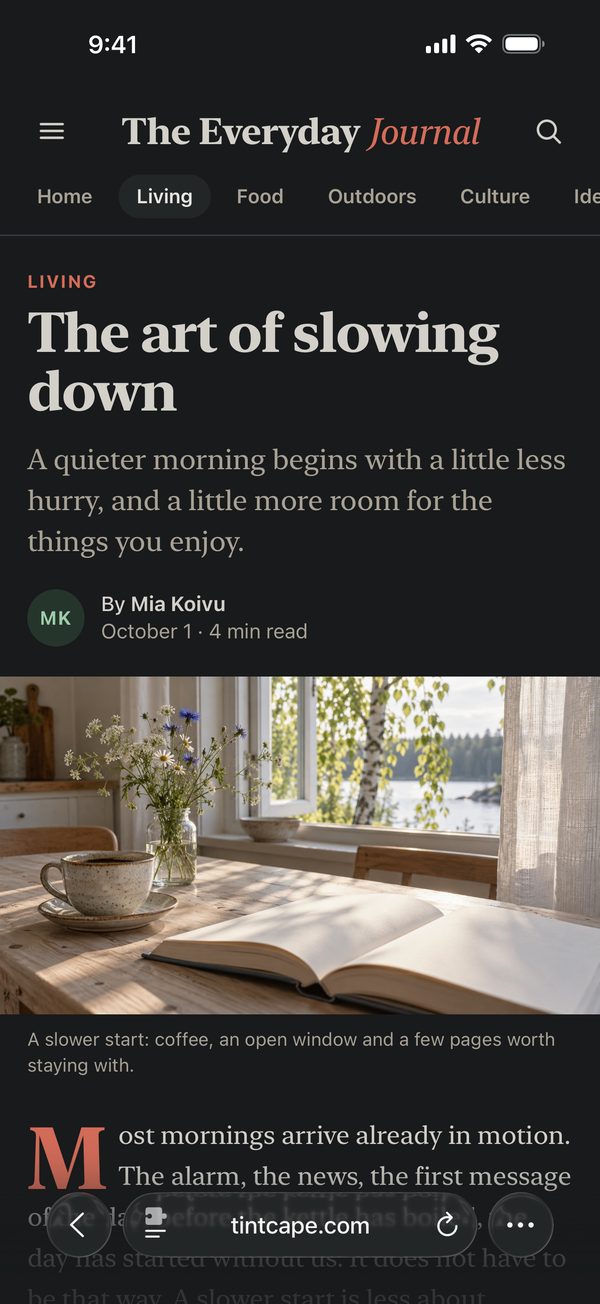
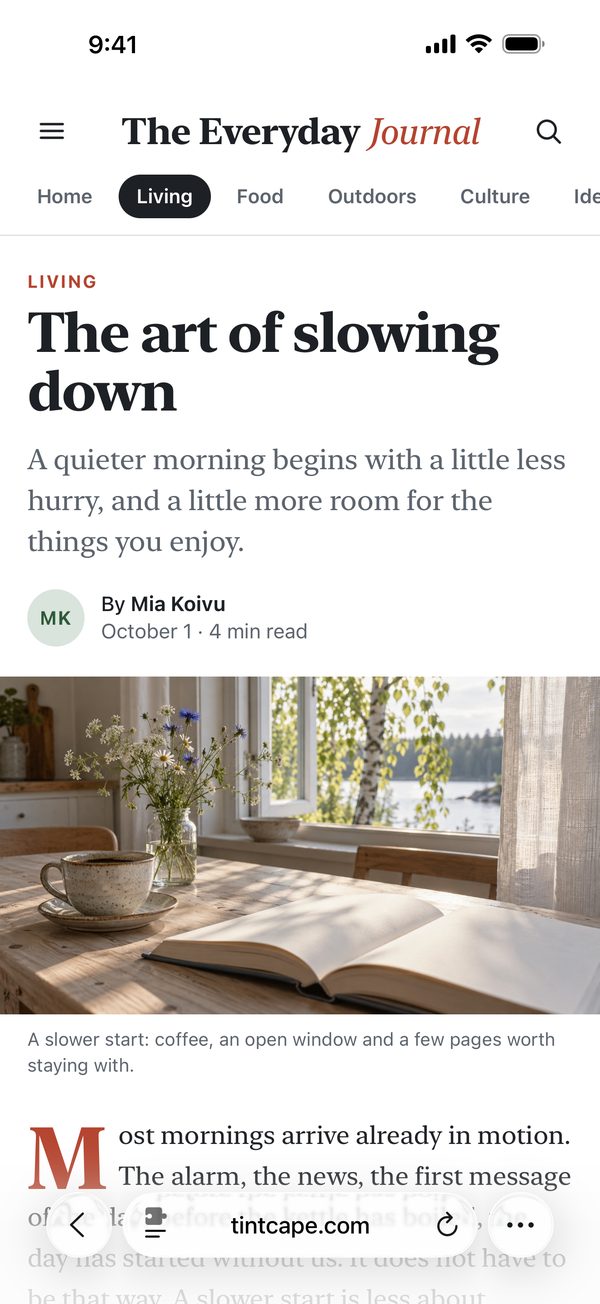
Change the colors, font and size of this sample page. In Safari, Tintcape does the same for real websites.
Living
A quieter morning begins with a little less hurry, and a little more room for the things you enjoy.

Most mornings arrive already in motion. Begin with light: open the curtains before you open a screen. A warm cup, an open window and a few pages worth staying with can do more for a day than any productivity trick.
Small changes can make familiar things feel new again.
 Tintcape
Palettes
Styles Pro
Your colors Pro
A preview on this page only. Nothing is saved.
Free and Pro
Free
One-time purchase
Everything in Tintcape, plus:
No subscription. Works with Family Sharing. Buy or restore it in the Tintcape app.

Privacy
Tintcape changes pages right on your device. There’s nothing to sign up for, and nothing about your browsing is collected.
Requires iOS or iPadOS 17 or later.
Tintcape lives in Safari’s menu, right where you read.
English, Deutsch, Español, Français, 日本語, 한국어 and 繁體中文.
Tintcape is coming soon to the App Store for iPhone and iPad. This page will link to it as soon as it’s available.
Tintcape works on most websites you visit in Safari. Safari’s own pages and some PDFs can’t be changed by extensions, and you can turn Tintcape off for any website that doesn’t look right.
No. There’s nothing to sign up for, and your settings stay on your device.
Settings don’t sync automatically. Export them from Tintcape on one device and import them on the other.

Dark mode, your colors and your fonts, on the websites you read in Safari.
Coming soon to the App Store
For iPhone and iPad with iOS or iPadOS 17 or later.